
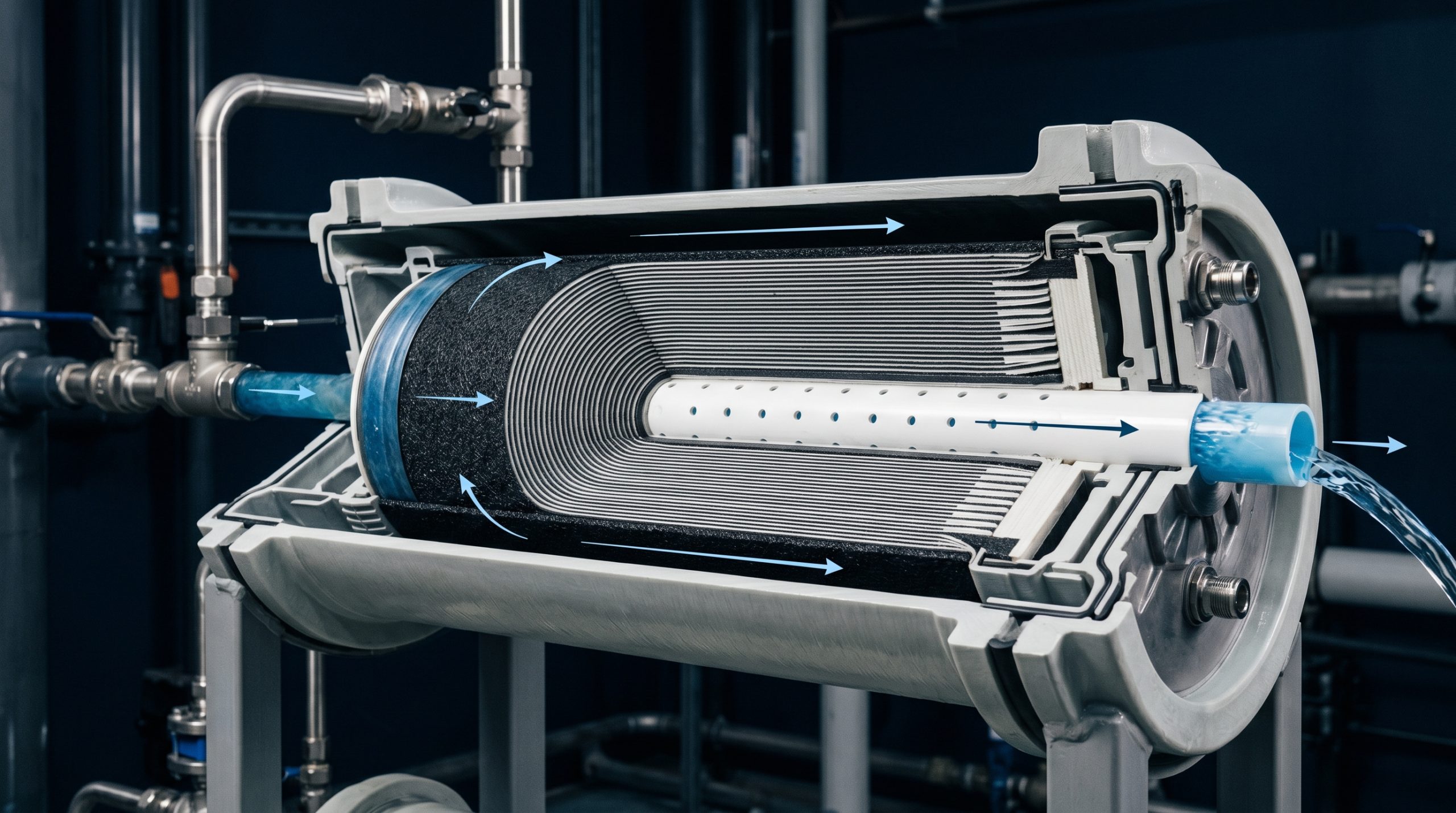

Most commercial RO problems come down to one of three things: pre-treatment failure, membrane fouling, or an instrumentation issue making you think there’s a problem when there isn’t one. This guide covers the diagnostic sequence for every common symptom, starting with the fast checks.
Low Permeate Flow
Reduced product water output is the most common complaint on commercial RO systems. Before assuming membrane failure, work through the fast checks first.
Fast Checks
- Feed pressure at the pump inlet: Low inlet pressure starves the pump and reduces output. Check your supply line pressure and any isolation valves upstream.
- Pre-filter pressure drop: A clogged sediment or carbon pre-filter causes the same symptom as a failing membrane. If you haven’t changed pre-filters recently, change them and retest before touching anything else.
- Feed water temperature: RO flux drops roughly 3% per degree Celsius below the baseline test temperature (usually 25°C). A system producing 3,000 GPD at 77°F may produce 2,100 GPD at 50°F. If production dropped seasonally, temperature is usually the culprit.
- Concentrate valve position: If someone adjusted the concentrate valve (sometimes called the brine reject valve or throttle valve) without documenting it, system recovery and flow rates shift.
If Fast Checks Don’t Explain It
Calculate normalized permeate flow (NPF) to determine if the membranes are actually the issue. Correct measured flow for temperature and pressure changes. A greater than 15% reduction in NPF from baseline – after pre-filters are fresh and pressures are correct – indicates membrane fouling or scaling. See the CIP section below.
High TDS in Product Water (Low Rejection)
Product water TDS elevated above baseline points to membrane integrity failure, O-ring bypass, or a calibration problem with your TDS meter.
Diagnostic Sequence
- Verify the TDS meter: Check probe calibration against a known standard. A drifted probe is the most common cause of apparent rejection decline.
- Check O-rings in pressure vessels: A failed interconnect O-ring between membrane elements, or a failed end cap O-ring, allows concentrate to enter the permeate stream without passing through the membrane. This causes high TDS while flow rate may appear normal. Remove elements and inspect all O-rings.
- Test individual vessels: On multi-vessel systems, isolate each vessel’s permeate port and measure TDS independently. A single bad element or O-ring in one vessel will contaminate the combined permeate – you’ll find it this way.
- Chlorine damage: Polyamide membranes damaged by chlorine exposure show diffuse TDS increase across all elements, not isolated to one vessel. If you can confirm a pre-filter failure (carbon exhausted) or a chemical dosing mistake upstream, chlorine damage is the cause. There is no repair – membranes must be replaced.
High Differential Pressure
Elevated pressure drop across the membrane array (inlet feed pressure minus concentrate pressure, divided by number of elements) indicates fouling of the feed spacers – not the membrane itself. This is a different problem from low rejection.
- Biological fouling (biofilm): Occurs in systems with warm water, stagnant periods, or inadequate sanitization. Biofilm tends to affect the lead elements first. Requires alkaline CIP (high pH) to remove.
- Colloidal fouling: Suspended silica, iron, or aluminum particles that passed pre-filtration. SDI above 5 in the RO feed is the indicator. Requires improved pre-filtration upstream and acidic or alkaline CIP depending on foulant type.
- Scaling: Calcium carbonate or barium sulphate crystals in the concentrate-end elements. Indicator is high differential pressure concentrated in the tail elements (last elements in the array). Requires acidic CIP (pH 2-4 citric acid or HCl).
In all cases, address the root cause (pre-treatment, sanitization, antiscalant dosing) before or alongside CIP. CIP without fixing the root cause just restarts the fouling cycle.
System Won’t Build Pressure
If the pump runs but feed pressure at the RO elements is low, the problem is typically in the pump itself or the high-pressure circuit.
- Verify pump rotation: A pump installed with incorrect motor wiring rotation will run quietly and appear functional but produce almost no pressure. Check motor rotation direction matches the arrow on the pump casing.
- Worn pump impellers or seals: Multistage centrifugal pumps lose pressure as impellers wear over time. Have the pump serviced or replaced if rotation is correct but pressure remains low.
- Air entrainment: Air in the feed line causes pressure fluctuations and low output. Check for suction leaks on the feed side of the pump.
- Concentrate valve fully open: On systems with manual concentrate throttle valves, a fully open concentrate valve means no backpressure on the system and the pump can’t build operating pressure.
Pressure Fluctuations
Oscillating feed pressure – pressure hunting – is usually one of three things: pump cavitation, a failing check valve, or an incorrect pressure switch set point causing rapid cycling.
- Cavitation: Insufficient supply pressure to the pump inlet causes intermittent vaporization and collapse of water at the impeller. Sounds like gravel in the pump. Fix the supply pressure problem – cavitation will destroy the pump.
- Rapid cycling (short-cycling): If your system runs for a few minutes, shuts off, and restarts frequently, the high-pressure cutoff switch set point may be too close to operating pressure, or the storage tank float switch is malfunctioning.
- Pulsation from positive displacement pump: Normal on piston pumps. Install a pulse dampener on the pump outlet if pulsation is extreme or causing downstream problems.
Water Hammer
Water hammer – a sharp banging noise when the system starts or shuts down – indicates rapid valve closure or inadequate pressure relief. Repeated water hammer will fatigue pressure vessel connections and eventually crack fittings.
- Install a slow-close solenoid valve on the feed inlet and a pressure relief valve on the high-pressure side.
- Add an accumulator or expansion tank to absorb pressure transients.
- Check that the pump start is ramping in gradually if using a VFD, or that the system fills gradually before the pump reaches full speed on direct-start systems.
Biological Growth in Product Water
Coliform or bacterial presence in RO product water in a system that was previously clean points to either a post-membrane contamination source (storage tank, distribution lines) or a bypassed membrane.
- Test product water at the membrane outlet before it enters any storage or distribution. If clean at the membrane and contaminated downstream, the issue is post-RO.
- Sanitize storage tank and distribution lines first. Rinse thoroughly. Retest.
- If contamination is present at the membrane outlet, the membrane itself is compromised (physical damage or biological colonization). Sanitize with sodium bisulfite or hydrogen peroxide, retest. If contamination persists, replace membranes.
CIP (Cleaning In Place) Procedure Overview
When troubleshooting confirms membrane fouling is the issue, CIP is the first step before replacement.
- Identify foulant type: Carbonate/sulphate scale → acidic clean (citric acid or HCl, pH 2-4). Biological fouling or silica → alkaline clean (NaOH + surfactant, pH 11-12).
- Prepare cleaning solution: Mix in a clean cleaning tank. Use RO permeate or DI water to avoid introducing new minerals. Pre-warm to 90-100°F for improved cleaning efficiency.
- Circulate: Pump cleaning solution through the membrane elements at low pressure (60-90 psi) in the permeate-to-concentrate direction (forward cleaning). Typical circulation time: 30-60 minutes per cycle.
- Soak: Stop circulation and allow soak for 30-60 minutes before resuming circulation.
- Flush: Flush thoroughly with clean feed water until pH returns to near-neutral and TDS of the flush water approaches feed water TDS.
- Return to service and log: Document post-CIP flow rate and rejection. Compare to pre-CIP and baseline.
Technical Support – AMPAC USA
For troubleshooting assistance on AMPAC USA systems, contact our technical support team at 909-548-4900 or by using the form below. Have your system model number, serial number, and current operating parameters (feed pressure, permeate flow, TDS readings) available before calling.
Frequently Asked Questions
What is the most common cause of low permeate flow on a commercial RO system?
Before assuming membrane failure, check feed pressure at the pump inlet, pre-filter pressure drop, feed water temperature (flux drops about 3 percent per degree Celsius below baseline), and concentrate valve position. Only if these fast checks do not explain it should normalized permeate flow be calculated to assess actual membrane condition.
What causes high TDS in RO product water?
Most often a failed O-ring allowing concentrate to bypass the membrane, a drifted TDS meter calibration, or chlorine damage to the membrane. Testing individual pressure vessels separately helps isolate which element or vessel is responsible.
What does high differential pressure across an RO membrane array indicate?
Fouling of the feed spacers rather than the membrane itself. Biological fouling affects lead elements first, colloidal fouling correlates with high SDI in the feed, and scaling shows up as high differential pressure concentrated in the tail elements.
When should an RO system undergo CIP cleaning versus membrane replacement?
CIP should be attempted first whenever fouling is suspected. Acidic cleaning (pH 2-4) addresses carbonate or sulphate scale, while alkaline cleaning (pH 11-12) addresses biological fouling or silica. Replacement is warranted only if CIP does not restore performance or rejection has permanently dropped below acceptable levels.